Introduction: The Inkless Revolution is Here
Let’s face it: the traditional inkjet printer is becoming a relic for many modern users. They are bulky, prone to paper jams, and always seem to run out of cyan ink right when you need to print a simple black-and-white shipping label. In today’s fast-paced world of remote work, side hustles, and aesthetic home organization, efficiency is king.
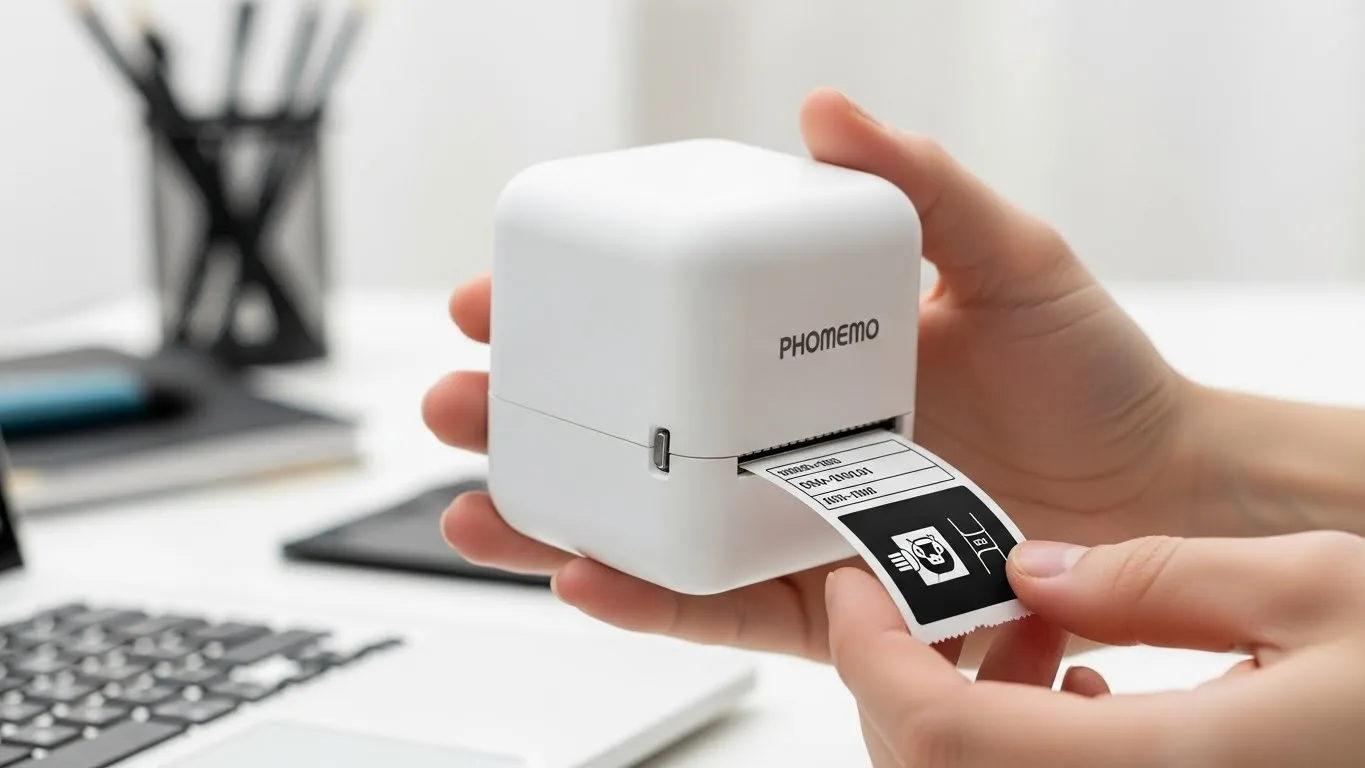
This is where Phomemo printers have carved out a massive niche. As a market leader in thermal printing technology, Phomemo devices use heat to transfer images onto specialized paper, eliminating the need for ink cartridges, toner, or ribbons. According to recent consumer tech trends, the portable printer market is projected to grow by over 8% annually through 2030, primarily driven by the rise of the gig economy, Etsy sellers, and digital nomads.
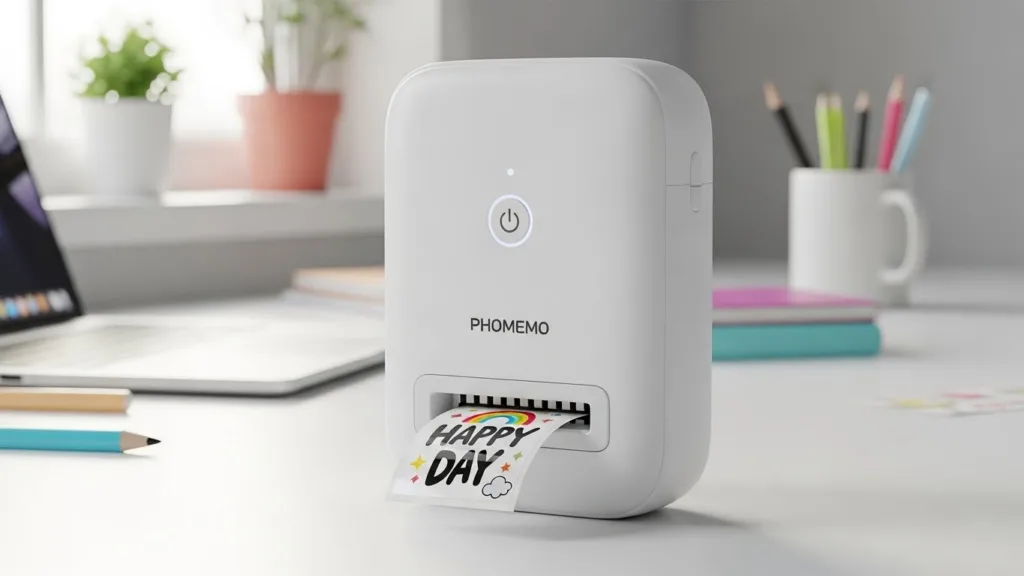
Phomemo isn’t just one device; it’s a complete ecosystem. Whether you are a university student organizing study notes, a tattoo artist requiring precise stencils, a warehouse manager printing barcodes, or a parent labeling school supplies, there is a specific Phomemo tool designed for you.
In this comprehensive guide, we have tested and reviewed the top 10 best Phomemo printers available on Amazon. We have expanded our review to include deep-dive technical specifications, real-world applications, and pros and cons to help you make the most intelligent buying decision.
1. Phomemo D30 Label Maker
The King of Home Organization
The Phomemo D30 is often the gateway device for people entering the world of thermal printing. It is sleek, compact, and incredibly easy to use. Designed primarily for small labels (up to 15mm wide), it is the ultimate tool for aesthetic home organization.
Imagine opening your pantry and seeing every spice jar perfectly labeled with a uniform font, or looking at your cable management box and knowing exactly which cord belongs to the router. That is the peace of mind the D30 offers. It connects via Bluetooth to the “Print Master” app, which is loaded with pre-designed templates, icons, and fonts.

Key Specifications
- Printing Technology: Direct Thermal (No Ink/Toner)
- Print Resolution: 203 DPI (Dots Per Inch)
- Label Width Capacity: 6mm to 15mm (0.24” – 0.59”)
- Print Speed: 60mm/s (Prints a label in ~1 second)
- Battery: 1200mAh Rechargeable Lithium Battery
- Connectivity: Bluetooth 4.0 (Smartphone only)
- App Support: Print Master (iOS & Android)
- Weight: 160g (Lightweight & Pocket-sized)
Pros & Cons
Pros:
- ✅ Extremely portable; fits in a pocket.
- ✅ Labels are water, abrasion, and oil-resistant.
- ✅ App contains 1000+ symbols and fonts.
- ✅ Very affordable entry price.
Cons:
- ❌ Limited to narrow labels (cannot print shipping labels).
- ❌ Mobile-only (no PC/Mac driver).
2. Phomemo Printer Wireless (M832 Series)
The Versatile Traveler
If the D30 is for labels, this Phomemo Wireless Portable Printer (M832 series) is for documents. What sets this model apart is its incredible versatility regarding paper handling. While most portable printers accept only one paper type, this unit supports both cut sheets and rolls in multiple sizes.
This flexibility makes it a favorite for a wide range of needs—printing a long banner of text one minute and a standard contract the next. It fits easily into a briefcase and is a lifesaver for sales representatives who need to print invoices right away after a meeting.

Key Specifications
- Print Resolution: 300 DPI (High Definition for small text)
- Supported Paper Sizes: 5 Sizes (2 “, 3”, 4”, A4, US Letter)
- Paper Type: Supports Cut Sheets, Rolls, and Fan-fold paper
- Connectivity: Bluetooth (Mobile) & USB-C (Laptop/PC)
- Battery Capacity: 2600mAh (Prints up to 150 sheets per charge)
- Print Speed: 10mm/s
- Compatibility: Android, iOS, Windows, macOS, Linux
- Special Feature: Built-in paper bin reduces jamming.
Pros & Cons
Pros:
- ✅ Incredible versatility with five paper width options.
- ✅ High 300 DPI is excellent for contracts and fine print.
- ✅ No ink mess in your car or bag.
- ✅ Long battery life suitable for multi-day trips.
Cons:
- ❌ Slightly bulkier than the single-sheet “stick” printers.
3. Phomemo G100 Ultra Fast Portable Printer
Speed and Sleekness Combined
The Phomemo G100 is designed for one thing: speed. When you have high-volume document needs but zero desk space, the G100 delivers. Its form factor is a long, thin bar, making it one of the most space-saving designs on this list.
It utilizes advanced thermal technology to churn out pages faster than many of its competitors. It is particularly popular among legal professionals and real estate agents who need to print multi-page contracts on the fly without waiting for a slow mobile printer to buffer.

Key Specifications
- Design Factor: Ultra-compact Cylindrical “Bar” Shape
- Printing Width: A4 & US Letter (216mm width)
- Print Speed: Ultra-fast (approx. 15-20 pages per minute equivalent)
- Connection: Bluetooth 5.0 & USB Type-C
- Battery: High-density built-in rechargeable battery
- Paper Feed: Single-sheet manual feed
- Material: Premium composite for durability
- OS Support: Mobile (App) and Desktop (Driver required)
Pros & Cons
Pros:
- ✅ One of the fastest portable thermal printers available.
- ✅ Minimalist design looks professional in client meetings.
- ✅ Very durable build quality.
- ✅ Energy-saving sleep mode technology.
Cons:
- ❌ Manual paper feeding can be tedious for 50+ page documents.
- ❌ Strictly monochrome (Black & White).
4. Phomemo Tattoo Stencil Printer
The Artist’s Secret Weapon
This is a specialized version of the M08F technology, engineered specifically for tattoo artists. In the past, artists had to hand-trace stencils or use expensive, heavy thermal fax machines (like the old 3M copiers).
The Phomemo Tattoo Printer changes the game. It allows artists to design on an iPad (using Procreate or similar apps) and print the stencil directly onto transfer paper. It captures intricate linework and shading that hand-tracing often misses, saving hours of prep time per client.

Key Specifications
- Optimized Media: Tattoo Transfer Paper & Thermal Paper
- Print Resolution: High-precision for fine lines (203 DPI)
- Weight: ~2 lbs (0.9 kg)
- Interface: USB-C (for PC/Tablet) & Bluetooth (for Phones)
- Software: Specialized image processing for stencil contrast
- Battery Life: 140 sheets per full charge
- Dimensions: 310mm x 67mm x 40mm
- Noise Level: Low noise operation suited for studios
Pros & Cons
Pros:
- ✅ Massive time saver; eliminates hand tracing.
- ✅ Portable enough to take to tattoo conventions.
- ✅ High precision for complex geometric designs.
- ✅ Works seamlessly with iPad drawing apps.
Cons:
- ❌ Niche product; not recommended for printing standard office docs.
5. Phomemo M250 Label Maker
The Small Business Workhorse
The Phomemo M250 bridges the gap between home use and business use. While the D30 is for small tags, the M250 boasts a wider print head (up to 3 inches or 75mm). This width is critical because it allows you to print QR codes, barcodes, and address labels.
It features a heavy-duty metal serrated cutter, ensuring your labels have clean edges every time. Whether you are labeling inventory bins in a warehouse or shipping packages for your eBay store, the M250 is robust enough to handle the workload.

Key Specifications
- Label Width Range: 20mm – 75mm (0.78” – 3”)
- Print Technology: Thermal Transfer / Direct Thermal
- Battery Capacity: 2200mAh (Standby time up to 1 week)
- Print Speed: 30mm/s – 50mm/s
- Cutter: Integrated Metal Serrated Cutter
- Connectivity: Bluetooth 4.2
- App: Print Master (Supports Excel import & Batch printing)
- Durability: Labels rated for up to 10 years.
Pros & Cons
Pros:
- ✅ Wide format allows for address labels and barcodes.
- ✅ Can print images and logos clearly.
- ✅ Easy-to-load paper mechanism prevents jams.
- ✅ Long battery life is great for warehouse inventory days.
Cons:
- ❌ Bulkier than the pocket-sized D30.
6. Phomemo Sticker Printer (M02)
Creativity in Your Pocket
The Phomemo M02 is less about business and more about fun and creativity. This adorable, square printer uses 53mm rolls of sticky paper (or non-sticky thermal paper). It is a massive trend in the bullet journaling and scrapbooking communities.
Students love it because they can take a picture of a diagram or a textbook paragraph, print it instantly, and stick it into their notes. It supports “web printing,” allowing you to print recipes or blog posts in a long strip format.

Key Specifications
- Print Width: 53mm (Standard Receipt Width)
- Resolution: 203 DPI
- Battery: 1000mAh Lithium-ion
- Charging Port: Micro-USB (older models) or USB-C (newer)
- Connection: Bluetooth 4.0
- Consumables: Colored paper, Transparent paper, Sticky paper
- Printer Size: 3.3″ x 3.2″ x 1.6″
- Software Features: OCR (Text recognition), Web Printing, Filters
Pros & Cons
Pros:
- ✅ Incredibly fun and easy to use for DIY projects.
- ✅ Consumables (paper) are very cheap.
- ✅ Great gift for teenagers and creatives.
- ✅ No ink required = no mess.
Cons:
- ❌ Lower resolution makes photos look grainy (retro style).
- ❌ Prints curl due to the roll format.
7. Phomemo Inkless Portable Printer (Mobile Office)
Reliability on the Road
This model represents Phomemo’s core competency: reliable, standard-sized mobile printing. Tailored for the general mobile office, this printer enables logistics drivers to print bills of lading and insurance adjusters to print reports right at the scene of an incident.
It removes the anxiety of needing to find a FedEx or library to print a single sheet of paper. It connects seamlessly via Bluetooth to phones and via USB to laptops, ensuring you are always ready to work.

Key Specifications
- Paper Size: US Letter (8.5” x 11”) and A4
- Resolution: Standard Definition (203 DPI)
- Printing Method: Direct Thermal
- Compatibility: Native support for iOS/Android & PC/Mac
- Charging: USB Type-C Fast Charging
- Battery Life: Prints approx. 120 pages per charge
- Startup Time: Instant on (no warm-up required)
- Weight: Approx. 1.5 lbs
Pros & Cons
Pros:
- ✅ Sets up in seconds via Bluetooth.
- ✅ Flight-safe battery makes it great for air travel.
- ✅ Compact design fits in laptop bags.
- ✅ Reliable connection stability.
Cons:
- ❌ Requires thermal paper (costs more than regular copy paper).
8. Phomemo Thermal Inkless Printer (M832D)
The High-Tech Upgrade with Smart Display
The “D” in this series often stands for Display. This upgraded unit features a small, built-in, bright screen. Why does this matter? It lets you see the battery percentage, connection status, and paper mode at a glance without opening the phone app.
It creates a more user-friendly experience, especially for those who aren’t tech-savvy. It typically offers higher resolution (300 DPI), making it suitable for printing documents with fine print or detailed graphics.

Key Specifications
- Display: Built-in OLED/LCD Status Screen
- Print Resolution: 300 DPI (Best in Class)
- Paper Support: Rolls and Folded Paper (Versatile Feed)
- Battery: 2600mAh High-Capacity
- Standby Time: Up to 30 Hours
- Noise Level: < 50dB (Silent Operation)
- Auto-Sleep: Yes, to conserve power
- Connectivity: Bluetooth 5.2 (Faster connection)
Pros & Cons
Pros:
- ✅ Screen removes the guesswork from battery life/status.
- ✅ Superior print quality (300 DPI) handles small fonts well.
- ✅ Hushed operation is good for libraries/coffee shops.
- ✅ “Consumables Identification” automatically adjusts print settings.
Cons:
- ❌ Higher price point due to the screen and resolution.
9. Phomemo M08F Inkless Thermal Printer
The Gold Standard
If you look up “portable printer” on social media, the Phomemo M08F is likely what you will see. It is the flagship model that put the brand on the map. It is roughly the size of a baguette and weighs about 1.5 lbs.
It is robust, reliable, and gets the job done. It is specifically designed to print standard letter-sized documents. Truckers widely use it for permits, tattoo artists for stencils (before the specific version was released), and business travelers. It is the “safe bet” purchase.

Key Specifications
- Model: M08F (Letter or A4 versions available)
- Resolution: 203 DPI
- Battery: 1200mAh (Prints 140 sheets per charge)
- Print Speed: 13-15mm/s
- Input: 5V/2A USB-C
- Shell Material: Heavy-duty ABS plastic
- System Support: Android 5.0+, iOS 9.0+, Windows 7+, macOS 10+
- Paper Feed: Manual Single Sheet
Pros & Cons
Pros:
- ✅ Proven reliability with thousands of 5-star reviews.
- ✅ Wide availability of compatible thermal paper.
- ✅ Sharp, professional text output.
- ✅ Easy to find tutorials and support online.
Cons:
- ❌ You must feed paper one sheet at a time (no automatic tray).
10. Phomemo M220 Barcode Printer
The E-Commerce Powerhouse
The Phomemo M220 is the big brother to the M250. It is a dedicated powerhouse for online sellers. If you are shipping 20-50 packages a day via Amazon FBA, Shopify, or Poshmark, this is the machine you want.
It supports a print width of up to 3.14 inches, ideal for standard shipping labels. It connects via Bluetooth to your phone but also works flawlessly via USB with your computer, integrating with shipping platforms like ShipStation and Stamps.com.

Key Specifications
- Max Print Width: 80mm / 3.14 inches
- Screen: 1.0-inch LCD Display (Shows battery, mode, connection)
- Print Speed: Up to 50mm/s (Fast batch printing)
- Battery: 2200mAh (Prints 36 rolls of paper on one charge)
- Resolution: 203 DPI
- Platform Support: Amazon FBA, eBay, Shopify, Etsy, UPS, FedEx
- App: Print Master (with address book integration)
- Physical Size: Handheld ergonomic design
Pros & Cons
Pros:
- ✅ Professional-grade reliability for shipping labels.
- ✅ Screen allows for easy troubleshooting and adjustment.
- ✅ Compatible with virtually all major shipping platforms.
- ✅ Fast printing saves time during packaging.
Cons:
- ❌ Strictly a label printer (cannot print A4/Letter documents).
Buying Advice: How to Choose the Right Phomemo
With 10 great options, choosing one can be overwhelming. Here is a breakdown to simplify your decision based on your specific needs:
1. Define Your Output Size
- Do you need full pages (A4/Letter)? You must choose the M08F (#9), M832 (#2), or G100 (#3). These are the only units capable of printing standard documents readable for business contracts or schoolwork.
- Do you need shipping labels? You need the M220 (#10) or M250 (#5). These support 3-inch-wide paper, which is the standard for shipping barcodes. The D30 is too narrow.
- Do you want to organize your home? The D30 (#1) is the cheapest, smallest, and best option for spice jars and bins.
2. Resolution Matters (DPI)
- 203 DPI: This is standard for thermal printers. It is perfectly fine for large text, shipping labels, and basic notes. (Models: D30, M02, M220, Standard M08F).
- 300 DPI: This is “High Definition.” If you are printing contracts with fine print, detailed invoices, or complex tattoo stencils, you should pay extra for a 300 DPI model (Models: M832, G100).
3. Connectivity
All listed models support Bluetooth printing from iOS and Android phones. However, if you need to print from a Laptop or PC, make sure to choose the M08F, M832, G100, or M220, as these include USB drivers. The smaller D30 and M02 are generally designed for mobile use only.
Conclusion
Phomemo has successfully disrupted the printing industry by proving that you don’t need a massive machine to get professional results. Whether you choose the fun M02 sticker printer for your journal or the robust M220 to run your small business, you are investing in a technology that saves time, space, and money on ink.
Ready to ditch the ink cartridges? Click the links above to check the current prices and grab the perfect printer for your needs.
Disclaimer: This article contains affiliate links. As an Amazon Associate, I earn from qualifying purchases at no extra cost to you. Prices and availability are subject to change.
Also read: Best Mini Instant Cameras